Test or reset the projectors picture - Freestyle projector
Does the picture look a little funky? You can use the Picture Test to determine if picture problems are being caused by The Freestyle itself or something else.
-
Using The Freestyle’s remote, press and hold Home until the quick settings menu appears. Select All Settings, and select Support.
-
Select Device Care, and then select Self Diagnosis.
-
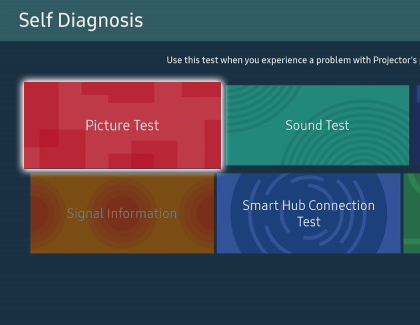
Select Picture Test. The Picture Test displays a high definition photo that you can examine for flaws or faults.
-
Look at the screen for any problems, and use the on-screen instructions to complete the picture test.
-
If the test photo is displayed properly, there may be a problem with an external connected device. Check the connections, the signal strength, or refer to the external device's user manual.
-
If the picture test does not appear or you see an issue with the photo, the issue may be caused by the projector. Please contact Samsung Support for further assistance.
-
-
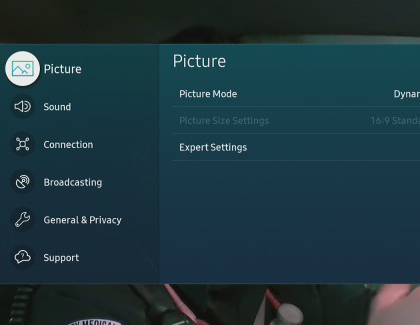
If you are still having issues or if you'd like to start over with your picture settings, you can reset them. Navigate to and open Settings, and then select Picture.
-
Select Expert Settings, and then select Reset Picture. Select Yes to confirm.
https://www.samsung.com/