Test or reset the sound Freestyle projector
Garbled sound or static noises can ruin a perfectly good movie or show. If your Freestyle is having audio problems, you can run a Sound Test to find out the cause of the issue or simply reset the projector’s sound settings.
-
Using The Freestyle’s remote, press and hold Home until the quick settings menu appears. Select All Settings, and select Support.
-
Select Device Care, and then select Self Diagnosis.
-
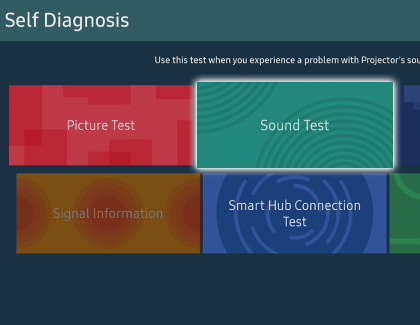
Select Sound Test. Look at the screen for any problems, and use the on-screen instructions to complete the picture test.
-
The Sound Test plays a melody to help determine if there is an issue with the projector’s speakers. If the melody plays without issue, there may be an issue with a connected external device. Check the connections or refer to the external device's user manual.
-
If you still hear a problem in the Sound Test, select Yes. Otherwise, select No. If there is a problem, you will be asked to contact Samsung Support. Be ready to provide the on-screen information to the support agent.
-
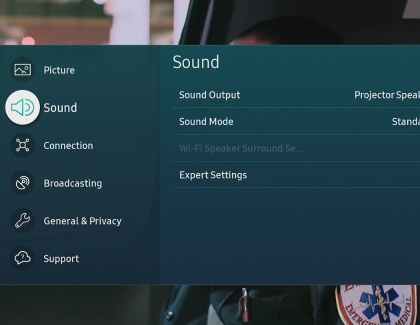
If you are still having issues or if you'd like to start over with your sound settings, you can reset them. Navigate to and open Settings, and then select Sound.
-
Select Expert Settings, and then select Reset Sound. Select Yes to confirm.
https://www.samsung.com/