Connect a soundbar or speaker using eARC Freestyle projector
You can connect a soundbar or speaker to The Freestyle so it truly feels like you’re at the movie theater. Plus, The Freestyle supports eARC technology (Enhanced Audio Return Channel) for high quality audio!
-
Plug one end of the HDMI cable into the HDMI output port on your soundbar or speaker.
-
Plug the other end of the cable into The Freestyle’s Micro HDMI port.
-
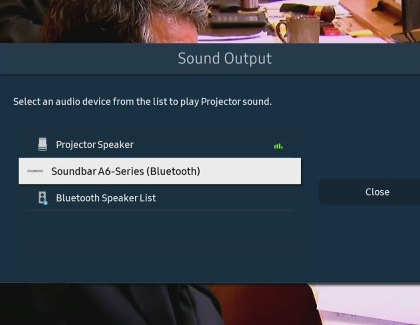
Next, press and hold the Home button on The Freestyle’s remote and select All Settings. Select Sound, and then select Sound Output.
-
Select your soundbar or speaker.
https://www.samsung.com/