Connect an input device Freestyle projector
If you need some assistance navigating The Freestyle, you can connect a Bluetooth keyboard or mouse to it.
-
Set your Bluetooth device to pairing mode.
-
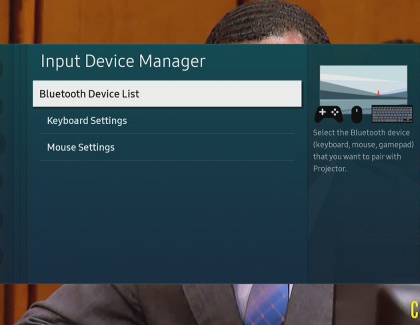
Next, press and hold the Home button on The Freestyle’s remote, and then select All Settings. Select Connection, then select External Device Manager, and then select Input Device Manager.
-
Select Bluetooth Device List, and then select your device. Follow any on-screen instructions to connect to it.
-
Then, navigate back to the Input Device Manager menu, and select either Keyboard Settings or Mouse Settings to adjust your preferences. For instance, you can change the keyboard’s language or the mouse pointer’s speed.
https://www.samsung.com/