Factory reset Freestyle projector
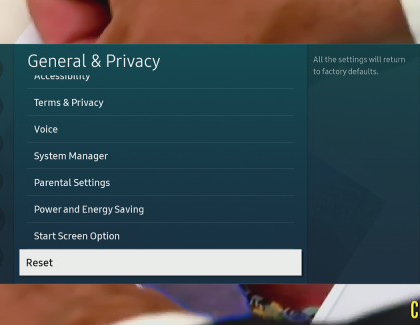
Sometimes it’s good to have a fresh start. You can restore all of The Freestyle’s settings (excluding the network settings) to their factory defaults.
-
Using The Freestyle’s remote, press and hold Home until the quick settings menu appears. Select All Settings, and then select General & Privacy.
-
Select Reset, enter your PIN (0000 is the default), and then select Reset.
-
To complete the reset, select OK. Your projector will restart automatically.
Note: The Reset function is not available if you are using an app.
https://www.samsung.com/